
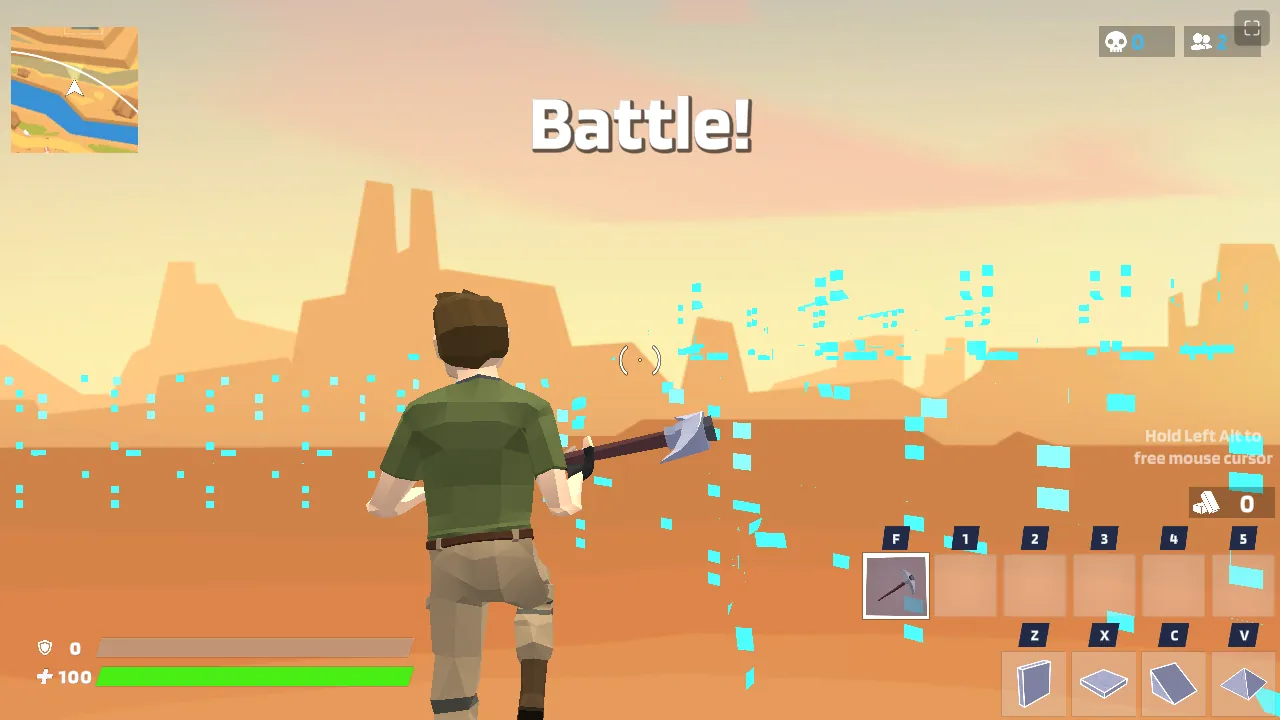
This page collects the questions people ask about 1v1.LOL most often, from "is it shut down?" to "what key is the wall on?", with short, direct answers. Every fact here matches what the game does today, on the community-run 1v1.LOL Reloaded build that this site embeds, not the 2020 version most older guides describe. Jump to a section:
- The basics
- The shutdown and 1v1.LOL Reloaded
- Where and how you can play
- Controls, keybinds and settings
- Modes, friends and 2v2
- Lag, cheating and getting better
The basics
What is 1v1.LOL?
1v1.LOL is a free third-person shooter where you build while you fight. You harvest materials, throw up walls, ramps, floors and roofs in real time, and try to out-aim and out-build one opponent in a small arena. It took the build-fight from Fortnite, dropped everything else, and made it load in a browser tab in about ten seconds. It launched on the web in late 2019 and spread almost entirely through school Chromebooks.
Is 1v1.LOL free to play?
Yes. The game on this site costs nothing, needs no download and needs no account. Press Play and you are in the lobby. A Google sign-in is optional and only exists so your rank and unlocks are saved between sessions.
Who made 1v1.LOL?
JustPlay.LOL, a small studio founded in Israel by the Alterman brothers around 2019 and later bought by Playtika. The same team made JustBuild.LOL and JustFall.LOL. The studio closed its games in November 2025; the version you play today is run by the community, not by JustPlay.LOL. The full history is in our JustPlay.LOL article.
Is 1v1.LOL made by Epic Games or part of Fortnite?
No. It has no connection to Epic Games. 1v1.LOL copied the one thing competitive Fortnite players cared about, the build fight, and rebuilt it as a standalone Unity game. The five build pieces, the edit system and the ramp-rush habits carry over, but nothing else does: there is no loot phase, no vehicles, no storm to outrun and no 100-player lobby.
What age is 1v1.LOL appropriate for?
It is a cartoon shooter with no blood or gore, and the app stores listed it for ages 12 and up while it was on them. There is no voice chat in the browser build, so the main thing for a parent to watch is the in-game text chat, which can be ignored or minimised.
The shutdown and 1v1.LOL Reloaded
Is 1v1.LOL shut down?
The official version is. JustPlay.LOL switched the servers off on 3 November 2025, and the Steam release, the iOS and Android apps and the original website all stopped working that day. Coins, skins and battle-pass progress on official accounts were not refunded. What you play here is 1v1.LOL Reloaded, a community-run revival with its own servers. Is 1v1.LOL shut down? covers the whole story.
Why is 1v1.LOL not working?
If you are on the old official site, the Steam client or the mobile app, it will never connect again: those servers are gone. Come to 1v1lol.me instead, where the Reloaded build is embedded and has been stable since early 2026. If the game here shows a loading bar that never finishes, the usual causes are a browser with hardware acceleration switched off, an ad blocker that is blocking the game's own scripts, or a school network that filters WebGL content. Try a different browser first, then read the lag and frame-rate guide.
What is 1v1.LOL Reloaded?
Reloaded is the same Unity game client connected to servers that players rebuilt after the shutdown. The building, weapons, maps and controls are identical. Matchmaking is live for ranked 1v1 Clash, Battle Royale, Zone Wars, Build Race and a set of custom party modes. It is not affiliated with JustPlay.LOL or Playtika. The population is smaller than the original at its peak, so off-peak queues take longer than they used to.
Did my old account, skins or coins carry over?
No. There was no way for a third party to import accounts from the official servers, so every player started from zero on Reloaded. The locker and shop still exist, but the catalogue is not the original one and nothing bought before the shutdown is in it.
Will the official 1v1.LOL ever come back?
Nothing suggests it. JustPlay.LOL retired its other titles at the same time, the old domain has not launched anything since, and Playtika has not mentioned the brand. Treat Reloaded as the game now. We update the shutdown article if that ever changes.
Where and how you can play
Can I play 1v1.LOL on a school Chromebook?
Yes. The version on this site is the plain WebGL browser build served over HTTPS, so it needs no install, no extension and no admin rights. That is why it runs on locked-down Chromebooks. Two things help on school hardware: play in fullscreen, and make sure hardware acceleration is on in the browser, because some school images ship with it disabled.
Does 1v1.LOL work on a phone or an iPad?
It loads in a mobile browser, but a build fight on a touch screen is a real handicap: you cannot place a wall and aim at the same time with any speed. An Android build of Reloaded exists for people who want a native client. On iOS, since the official app closed, the browser is the only option. For anything competitive, use a laptop or desktop with a mouse.
Can I download 1v1.LOL or get it on Steam?
The Steam listing is dead, so no. Reloaded publishes a Windows client and an Android build of its own for people who prefer a native app. For most players the browser build is the right choice: it is the same game, it is cached after the first load, and it works on any operating system with a modern browser.
Does 1v1.LOL work on Mac or Linux?
Yes. The browser build does not care about the operating system; it needs a browser with WebGL and hardware acceleration, which Chrome, Edge, Brave, Firefox and Safari all have. On a Mac, make sure the browser is not running in Low Power Mode, which caps the GPU.
Can I play 1v1.LOL on Xbox, PlayStation or Switch?
No. There has never been a console version, and the consoles' built-in browsers do not run WebGL games well enough to matter. If a console is all you have, the browser on a laptop, a Chromebook or a school computer is the realistic route.
Can I play 1v1.LOL offline?
No. Every mode, including the practice modes, checks in with the game servers, so there is no offline play. If you want to drill building without opponents and without waiting for a queue, Free Build is the closest thing: an empty map, unlimited materials and nobody shooting.
Is 1v1.LOL safe to play?
The browser build runs inside your tab with the same permissions as any other web page. It installs nothing and asks for nothing except an optional Google sign-in. It does not need your password for anything else. Be more careful with unofficial "download" sites offering installers, which are not the game.
Controls, keybinds and settings
What are the default controls in 1v1.LOL?
Read off the game's own Settings screen in the current Reloaded build: move with W A S D, jump with Space, crouch with Left Shift, fire and aim with the mouse buttons. Build pieces are Z wall, X floor, C ramp and V roof. G edits, R resets an edit, E is the use key, F pulls out the pickaxe, and 1 to 5 switch weapons. If you learned on the 2020 layout, the wall was on Q; that is the change that catches everyone out.
How do I change my keybinds in 1v1.LOL?
Open the settings cog in the lobby, then the Keyboard tab, click the action you want to change and press the new key or mouse button. Mouse side buttons are allowed, and the single biggest upgrade for most players is moving the wall to a thumb button so the left hand never leaves WASD. The layout fast builders use, and the reasoning behind it, is in 1v1.LOL keybinds and settings.
What does "edit on release" do?
With it on, you hold the edit key, drag across the tiles you want removed and let go to confirm, which is one motion. With it off, you press to open the edit, click to select and press again to confirm, which is three. It is on by default in this build and should stay on; the only players who switch it off are those who mistake the confirm-on-release for a misfire in their first hour.
What sensitivity should I use?
Low enough that one comfortable sweep of the mouse turns you about 180 degrees, then stop adjusting it. If a full turn needs two sweeps, go up; if flicks overshoot every time, go down. Aim is a motor pattern that takes days to settle, and players who tune sensitivity every session are permanently relearning it. Turn off "enhance pointer precision" in Windows first, because mouse acceleration undermines any sensitivity you pick.
Modes, friends and 2v2
What game modes does 1v1.LOL have?
In the current build: 1v1 Clash (the ranked duel), Battle Royale (a small-lobby version with looting), Zone Wars (fights inside a shrinking zone), Build Race (who builds a set structure fastest) and a set of custom party modes including Box Fight. Under Practice there is Free Build and an Aim Trainer. Pick them with the Change Mode button next to Play.
Which mode should a beginner start with?
Free Build, before anything with a scoreboard. Spend ten minutes placing wall, ramp and floor in sequence until your hand does it without looking, then drill wall-to-ramp and a ramp into a 90. Follow with a few rounds of Aim Trainer. Then queue 1v1 Clash. Jumping straight into ranked is how most new players decide the game is impossible.
How do I play 1v1.LOL with friends?
Two ways. Set the lobby bar from Solo to Duo and you queue together as a pair. Or open Change Mode, choose Custom, and share the room code, which gives you a private match where you pick the mode and who is in it. Friends can be invited from the friends icon in the lobby once both of you are signed in.
Is there a 2v2 mode in 1v1.LOL?
Not as a standalone ladder anymore. Reloaded replaced the old 2v2 button with the Solo/Duo toggle, so a duo queue exists but the dedicated two-against-two mode does not. For a real 2v2 with Box Fight and Zone Wars variants, use the 2v2 game on our 2v2 page, which is a different title built around exactly that; the mode switch sits directly above the player.
Does my progress save? Should I sign in with Google?
As a guest, nothing is saved: rank, stats and unlocks reset when the browser storage is cleared. Signing in with Google keeps all of it tied to your account, on any device. Nothing else is done with the account. If you play on school machines that wipe themselves, sign in; otherwise it is optional.
Lag, cheating and getting better
Why is 1v1.LOL so laggy, and how do I fix it?
First separate two problems. If the whole picture stutters and your own builds appear late, that is frame rate: play fullscreen, close video tabs, turn on hardware acceleration in the browser, drop the in-game quality one step and plug the laptop in. If the picture is smooth but shots do not land and opponents skip, that is the connection: get onto 5 GHz Wi-Fi or a cable and switch off any VPN. All nine fixes, in order, are in the lag and frame-rate guide.
Are there hackers or aimbots in 1v1.LOL?
Some. Reloaded's anti-cheat was rebuilt from scratch and is decent but not perfect. Report obvious aimbots through the in-game report option so the moderators see it; a comment on our site cannot ban anyone. Most "aimbot" accusations at low ranks are simply a player who builds faster and takes the high ground, which looks unfair until you can do it too.
How do I get better at 1v1.LOL?
Build before you aim. Nearly every duel is decided by who takes the high ground first, and that is a building race, not a shooting one. Drill three things in Free Build until they are automatic: wall-ramp-floor as one motion, the 90-degree turn up a ramp, and editing a window to shoot through and closing it again. Then play 1v1 Clash and lose a lot. Aim improves by itself once you stop thinking about your fingers.
What is the best weapon in 1v1.LOL?
The pump shotgun for the fight itself and the assault rifle for chipping builds and hitting an opponent who will not close the distance. The sniper is a trap for new players: satisfying when it lands, useless when a wall goes up in front of it. Learn to swap from shotgun to rifle in one press instead of scrolling; it is the weapon skill that wins the most fights.
Still stuck?
If your question is not here, leave a comment under the player on the home page and we will answer it and add it to this list. The three long-form guides cover the topics that need more than a paragraph: the shutdown and what replaced it, keybinds and settings, and fixing lag and frame drops. And if you want a break from build fights, the games page has forty other free browser shooters.